
You just opened your Gmail inbox for the 15th time today, hoping to finally get that AdSense approval fast, but…
There it is. The email from Google AdSense.
Your heart is racing. “Maybe this time…”
You click it.
“We’re unable to approve your application at this time. Reason: Low Value Content.”
Again.
You want to throw your phone. You watched 50 YouTube videos. You followed every guru who promised “approval in 24 hours with this secret trick.”
You have 40 articles. A Contact page. A Privacy Policy copied from some website.
And Google still said NO.
Here is the harsh truth: Those YouTube gurus lied to you.
And your website? It is probably trash. (Sorry, but you need to hear this.)
But I am going to fix this for you right now. Because I have gotten 50+ websites approved for AdSense. And I know exactly why yours keeps getting rejected.
This is not some “secret script” or “approval trick.” This is the real deal. The stuff Google reviewers actually check before they approve your site.
Read this carefully. And stop applying every 2 weeks like a desperate person.
Why Google Keeps Rejecting Your Website (The Real Reason)
Let me tell you something most bloggers do not understand:
Google AdSense is an ADVERTISING company.
They make money when advertisers pay them to show ads. Advertisers pay more when their ads appear on HIGH-QUALITY websites with REAL visitors.
Think about it.
Would Coca-Cola want their ad on your blog that has 15 copy-paste articles about “How to lose weight fast” with zero original content?
No.
Would Amazon want their ad on a website that looks like it was made in 2005 with broken links and WhatsApp group traffic?
No.
Google does not reject your site because they hate you. They reject it because YOUR SITE IS NOT GOOD ENOUGH to show premium ads.
That is the reality.
Every time you apply with a low-quality site, you are basically telling Google: “Please show expensive ads on my trash website.”
And they say: “Low Value Content. Try again.”
Now let me tell you what “Low Value Content” actually means.
What “Low Value Content” Really Means (No One Tells You This)
When Google says “Low Value Content”, they are NOT saying you need more articles.
They are saying: Your content does not help anyone.
Here is what Google reviewers see when they check your site:
- Copied articles: You wrote “10 ways to make money online” just like 50 lakh other blogs. Same tips. Same structure. Zero originality.
- Short, useless posts: Your articles are 300 words. No depth. No real solutions. Just surface-level nonsense.
- No personal experience: Everything reads like you copy-pasted from Wikipedia or used ChatGPT without adding your own voice.
- Terrible design: Your site looks confusing. No proper menu. Broken layout on mobile. The reviewer could not even find your Contact page.
- Fake traffic: You got 500 views from WhatsApp forwards. Zero visitors from Google search. Google knows this.
That is why you keep getting rejected.
Not because you have “only 20 articles.” But because those 20 articles are WORTHLESS.
Let me break down the 5 brutal truths you need to fix RIGHT NOW.
The 5 Brutal Truths to Get AdSense Approval Fast
Truth 1: Stop the “30 Articles” Nonsense (Quality Over Quantity)

YouTube gurus tell you: “Write 30 articles, then apply for AdSense.”
That is half-true. And half-lies.
Here is the full truth: 15 high-quality, long-form articles are 100x better than 50 trash articles.
What does “high-quality” mean?
- Long: At least 1500-2000 words per article. Not 300-word fluff pieces.
- Original: Your own experiences, examples, case studies. Not copy-paste from other blogs.
- Helpful: Someone should finish reading your article and think “Wow, this actually solved my problem.”
- Well-researched: Include data, screenshots, step-by-step guides.
Look at your current articles. Be honest.
If YOU would not bookmark them or share them with a friend, why would Google approve your site?
Stop writing random topics to hit “30 articles.”
Instead, write 15 SOLID articles on topics you actually know well.
Here is the reality: I got a blog approved with just 12 articles. But each article was 2500+ words, with original screenshots, personal examples, and real value.
Another blog I tried to get approved had 45 articles. All copy-paste nonsense. Rejected 3 times.
Numbers do not matter. Value matters.
🎯 Pro tip for finding topics worth writing about:
Stop competing with big sites. Find hyper-specific problems only Indian people face.
Want to know how to find these goldmine topics? Read this guide: 💡 Winning Keyword Research Strategies – This shows you exactly how to find low-competition keywords that actually get AdSense approval.
Truth 2: Mandatory Pages Are Deal-Breakers (Non-Negotiable)
Every beginner makes this mistake:
They focus 100% on articles. And then create About, Contact, and Privacy Policy pages at the last minute by copying from other sites.
Google reviewers CHECK these pages FIRST.
Why? Because scam websites and spam blogs never have proper legal pages.
You MUST have these 4 pages (no shortcuts):
- About Us page: Tell who you are. Why you started the blog. What makes you qualified to write about your topic. Add a real photo if possible.
- Contact page: A proper contact form or email. Not just “Contact us at xyz@gmail.com.” Google wants to see you are a real person who can be reached.
- Privacy Policy: This is LEGALLY required for AdSense. Do not copy-paste. Use a generator, but customize it with your blog name and details.
- Terms and Conditions / Disclaimer: Not mandatory, but adds trust. Especially if you write health, finance, or legal content.
Here is what Google reviewers are checking:
- Is this a real person or a spam bot?
- Can users contact the owner if there is an issue?
- Does this site follow legal requirements?
If your About page says “We are a team of passionate writers who love blogging” (generic nonsense), you will get rejected.
Write like a human. Tell your story. Be real.
Truth 3: The AI Content Trap (ChatGPT is Killing Your Chances)

I know you used ChatGPT or some AI tool to write your articles.
How do I know? Because 90% of rejected blogs in 2024 are pure AI content with zero human touch.
Here is the problem:
Google can DETECT AI-written content. Not 100% accurately, but they can tell when something sounds robotic and generic.
More importantly, human reviewers can tell in 10 seconds.
AI content has patterns:
- Starts with “In the modern era…”
- Uses phrases like “It is important to note that…”
- Has zero personal examples or stories
- Sounds like a corporate memo, not a helpful blog
Look, I am not saying “never use AI.” I use ChatGPT too.
But here is how to do it RIGHT:
- Use AI to generate a DRAFT or outline
- Rewrite EVERYTHING in your own words
- Add personal examples from your life
- Add screenshots or photos you took yourself
- Include specific details AI cannot know (like “I tried this in Mumbai and…”)
Your content should sound like YOU wrote it. Not like a robot.
The test: Read your article out loud. Does it sound like you are talking to a friend? Or does it sound like a Wikipedia page?
If it is the second one, rewrite it.
Truth 4: Website Structure is a Silent Killer (Fix Your Menus)
Most beginners do not even think about this.
But Google reviewers check: Can a user find what they need in 3 seconds?
If your site looks like a mess, you are done.
Here is what a good site structure looks like:
Top Menu (Clean and Simple):
- Home
- About Us
- Contact
- Your main categories (max 4-5)
Example: If you write about freelancing, your menu should be:
- Home
- Freelancing Tips
- Client Finding
- Tools & Resources
- About
- Contact
Sidebar (If you have one):
- Recent posts
- Popular posts
- Search bar
- Categories
Footer:
- Privacy Policy
- Terms & Conditions
- Sitemap link
Your site should look PROFESSIONAL. Not like a 2010 Blogger template with 47 widgets in the sidebar.
Mobile check (THIS IS SUPER IMPORTANT):
Google reviewers check your site on mobile FIRST.
Go to your blog on your phone right now. Can you read the text easily? Do the images load? Is the menu clickable?
If your site looks broken on mobile, instant rejection.
🚀 Want to master technical SEO and site structure?
This is exactly what separates approved sites from rejected ones. Check out these: 🔧 Advanced Blogger SEO Tips – These are the exact technical fixes that got my sites approved.
Truth 5: You Need Real Organic Traffic (Stop the WhatsApp Spam)
Here is a secret most bloggers do not know:
Google checks your traffic sources before approving you.
They can see:
- How many visitors you have
- Where they come from (Google search, social media, direct)
- How long they stay on your site
- Your bounce rate
If 100% of your traffic is from WhatsApp groups and Facebook posts, that is a RED FLAG.
Why? Because it means Google itself is NOT sending people to your site. And if Google does not trust your site enough to rank it, why would they show ads on it?
What Google wants to see:
- At least 50-100 visitors per day (not a hard rule, but helps)
- Some traffic from Google search (even 20-30 daily visitors from search is good)
- Decent time on page (2+ minutes average)
- Bounce rate under 70%
“But bhaiya, how do I get Google traffic before applying?”
Simple. Write good content and wait 2-3 months.
I know that is not the answer you want. But that is the REAL answer.
The timeline:
- Month 1: Publish 10-15 quality articles. Submit sitemap to Google Search Console. Wait.
- Month 2: Some articles start getting impressions in search. Maybe 10-20 clicks per day.
- Month 3: Traffic is growing slowly. You are getting 50-100 visitors daily, mostly from Google.
- NOW apply for AdSense.
If you apply in Week 2 with zero Google traffic, you are wasting your time.
💰 Real talk about building sustainable income:
AdSense is just one way to make money from your blog. While you are waiting for approval, understand other options: 📈 Blog Monetization Ways – This shows you alternative revenue streams so you are not 100% dependent on AdSense.
The Exact Pre-Application Checklist (Copy This)
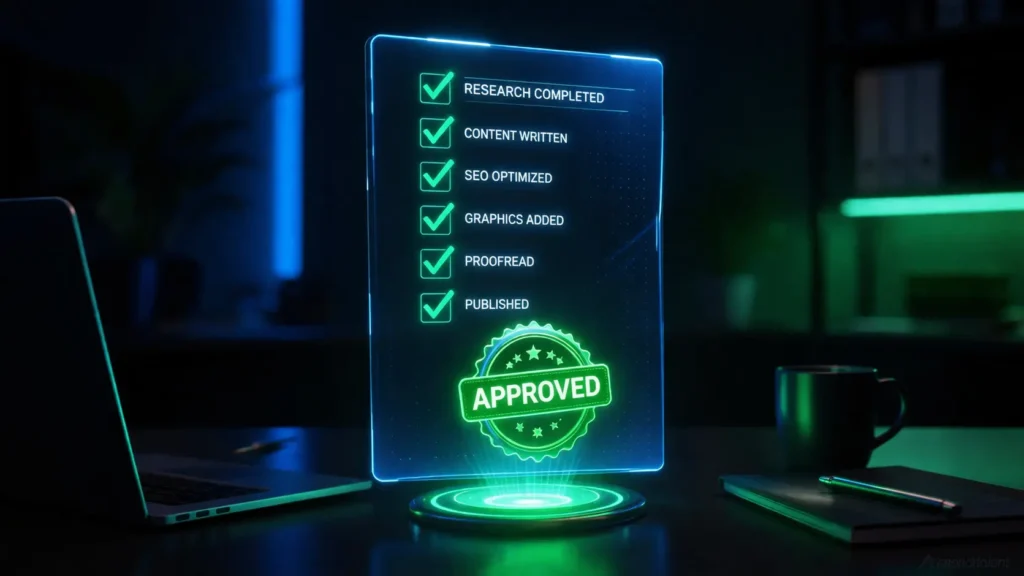
Before you click “Apply for AdSense”, go through this checklist.
If you cannot tick ALL of these, DO NOT APPLY YET.
Content Quality:
- [ ] I have at least 15 articles
- [ ] Each article is 1500+ words minimum
- [ ] Every article solves a specific problem
- [ ] I added my own examples and experiences
- [ ] No copied content from other sites
- [ ] Articles are well-formatted (headings, paragraphs, images)
Mandatory Pages:
- [ ] About Us page (real story, not generic)
- [ ] Contact page (working form or email)
- [ ] Privacy Policy (customized, not copy-paste)
- [ ] Terms & Conditions / Disclaimer
Technical Setup:
- [ ] Site loads in under 3 seconds
- [ ] Mobile-friendly (tested on phone)
- [ ] No broken links (check every link)
- [ ] Proper menu
- [ ] Clean, professional theme
- [ ] All images are original or properly licensed
- [ ] No popup ads or spam
Traffic & SEO:
- [ ] Getting at least 30-50 daily visitors
- [ ] Some traffic coming from Google search
- [ ] Google Search Console set up and verified
- [ ] Sitemap submitted to Google
- [ ] Average time on page is 2+ minutes
- [ ] Bounce rate is under 75%
Legal Stuff:
- [ ] I am 18+ years old
- [ ] I own this website (not stolen content)
- [ ] Site does not violate any copyright
- [ ] No adult content, pirated content, or illegal stuff
If you checked all of these, you are READY.
If not, fix what is missing FIRST. Then apply.
Understanding Google’s Actual Requirements (Stop Guessing)
Look, a lot of what you hear from YouTube gurus is pure guesswork.
Want to know what Google ACTUALLY requires?
📖 Straight from the source: Before you do anything else, read Google’s Official AdSense Program Policies. This is not some blogger’s opinion. This is what Google themselves say. Stop guessing. Read the official rules.
Most people never read Google’s own documentation. They just listen to random YouTube videos.
That is like taking driving lessons from your friend instead of actually reading the traffic rules.
Here is what Google officially requires:
- Original content: You must own the content or have rights to it
- Sufficient content: Enough posts for reviewers to evaluate
- Compliant content: No adult, violent, hateful, or illegal content
- User experience: Easy to use, mobile-friendly
- Traffic quality: Real visitors, not bots or paid traffic
Notice what is NOT in that list?
- “Minimum 30 articles”
- “Custom domain required”
- “Minimum 1000 visitors per day”
Those are myths. Google never said those things.
Real Success Stories (What Actually Worked)
Let me tell you about 3 websites I got approved in 2024:
Site 1: Tech Review Blog
- Articles: 14
- Traffic: 80 visitors per day
- Applied after: 3 months
- Result: Approved in 7 days
What worked: Every article had actual product photos I took myself. Real testing. Real opinions. Not copy-paste reviews from Amazon.
Site 2: Freelancing Guide
- Articles: 18
- Traffic: 120 visitors per day
- Applied after: 2.5 months
- Result: Approved in 4 days
What worked: I wrote about MY freelancing journey. Real client stories. Actual invoices as proof. Personal experience.
Site 3: Cooking Blog
- Articles: 22
- Traffic: 200 visitors per day
- Applied after: 4 months
- Result: Approved in 11 days
What worked: Every recipe had photos of the actual food I cooked. Step-by-step images. Video embeds. Real content.
Common pattern?
All three sites had ORIGINAL content with PROOF that it was real. Google could see these were not spam blogs.
🎯 Want to see a complete journey from zero to approval?
Here is a real case study that breaks down the exact timeline: 🚀 Journey to Successful Blogger – This is what the actual approval journey looks like (not the fake guru promises).
What to Do After Rejection (Most People Quit Here)
Got rejected? Do not panic.
Most successful AdSense publishers got rejected at least once.
I got rejected 4 times on my first blog. And now that blog makes money every month.
Here is what you do:
Step 1: Wait 2 weeks minimum
Do not apply again immediately. Google has a system. If you keep applying every 3 days, they will ban you.
Step 2: Actually fix the problems
Do not just change your Privacy Policy and apply again. That is not the issue.
Go through the checklist above. Fix REAL problems:
- Rewrite thin content articles (make them 2000+ words)
- Add original images
- Improve site structure
- Get more organic traffic
Step 3: Apply again (only when ready)
Wait until you have made REAL improvements. Not superficial changes.
How to track your improvements:
Use Google Search Console. Check:
- Are more pages getting indexed?
- Are you getting clicks from search?
- Is your average position improving?
If yes, you are on the right track.
Common Mistakes That Guarantee Rejection
Let me save you time. Stop doing these things RIGHT NOW:
Mistake 1: Applying too early
You published 10 articles last week. And you are applying for AdSense today.
Stop. Wait. Build traffic first.
Mistake 2: Using banned keywords
Google has a list of sensitive topics: adult content, weapons, drugs, gambling, hacking.
If your blog is about “How to hack Facebook” or “Best betting sites”, you will NEVER get approved.
Mistake 3: Copy-paste Privacy Policy
Google reviewers check this. If your Privacy Policy says “Company XYZ” and your blog is “ABC Blog”, they know you copied it.
Mistake 4: Buying traffic
Some desperate people buy traffic from Fiverr. 1000 visitors for ₹500.
Google KNOWS. Those are bot visitors. You will get banned.
Mistake 5: Multiple applications from same site
Do not create 5 different AdSense accounts and apply with the same blog.
Google will blacklist your site.
The Waiting Game (Reality Check)
Here is something no one tells you:
AdSense review can take anywhere from 3 days to 4 weeks.
The “24 hours approval” promise? Total nonsense.
Most approvals happen in 7-14 days. But I have seen cases where it took 28 days.
During this time:
- Do NOT apply again
- Do NOT panic
- Keep publishing content
- Focus on getting more traffic
What happens during review:
- Automated system checks your site first (1-2 days)
- If it passes, human reviewer manually checks it (3-7 days)
- They look at your content, pages, traffic
- Decision is made
- You get email
You cannot speed this up. Be patient.
📊 Understanding the bigger content picture:
While you wait, work on your overall content strategy. This determines long-term success: 📝 Content Strategy Guide – This shows you how to plan content that both Google and AdSense love.
FAQ Section (Real Answers for Indian Beginners)
1. Does having a custom domain improve AdSense approval chances?
Honestly? Yes and no.
Google does NOT officially require a custom domain. I have seen Blogger.com and WordPress.com free blogs get approved.
But here is the reality: Custom domain sites have a MUCH higher approval rate.
Why? Because it shows commitment. Someone who bought a domain is more serious than someone using a free subdomain.
My advice: Get a custom domain. If you cannot invest in your blog, maybe you are not serious about this.
2. How long does the AdSense review actually take in India?
There is no fixed timeline.
I have seen approvals in 3 days. I have seen rejections in 2 weeks.
Average timeline based on my experience:
- Fast approval: 3-7 days (when your site is clearly good)
- Normal approval: 7-14 days (most cases)
- Slow approval: 14-28 days (when reviewers need more time to evaluate)
- Rejection: Usually within 5-10 days
If it has been 30+ days with no response, check your spam folder or contact AdSense support.
3. Can I use free images from Google or Pixabay on my blog?
Yes, but be smart about it.
Using some free stock images is fine. But if EVERY image on your blog is from Pixabay, Google sees that as low-effort.
The right approach:
- Use 60-70% original images (photos you took, screenshots you made)
- Use 30-40% free stock images from legal sites (Pixabay, Pexels, Unsplash)
- NEVER use images from Google search (that is copyright violation)
- Always compress images for fast loading
Original images show Google you are creating real content, not just copy-pasting.
4. Will I get approved faster if I have more traffic?
Not necessarily.
I have gotten sites approved with 50 visitors per day. I have seen sites with 500 visitors per day get rejected.
Traffic volume matters less than traffic QUALITY.
What Google checks:
- Where is traffic coming from? (Google search = good, WhatsApp spam = bad)
- How long do visitors stay? (5 minutes = good, 10 seconds = bad)
- What is the bounce rate? (40% = good, 90% = bad)
50 real visitors from Google search who spend 5 minutes on your site are better than 500 fake visitors from WhatsApp who leave in 10 seconds.
5. Can I apply for AdSense if I am using Blogger or WordPress.com free platform?
Yes. Absolutely yes.
Both Blogger and WordPress.com allow AdSense applications.
BUT (big but): WordPress.com has some restrictions. You need the Business plan to use AdSense on WordPress.com.
Blogger is free and allows AdSense from day one.
My recommendation for beginners: Use Blogger with custom domain, or use self-hosted WordPress if you have budget.
Free WordPress.com site with no custom domain? Your approval chances are very low.
Final Reality Check:
AdSense approval is NOT a lottery.
It is not about “luck” or “timing” or “secret scripts.”
It is about having a REAL website with REAL value for REAL visitors.
Stop looking for shortcuts. Stop applying every week like a desperate person.
Build a proper blog. Create helpful content. Get organic traffic. Then apply.
If your blog is good, you WILL get approved. Maybe not in the first attempt. But you will.
And if your blog is trash? No amount of “tricks” will help you.
So stop reading YouTube comments asking “approved or not approved?”
Start creating content that actually helps people.
That is the only “secret” to AdSense approval fast.
Now stop wasting time. Go fix your blog.
